
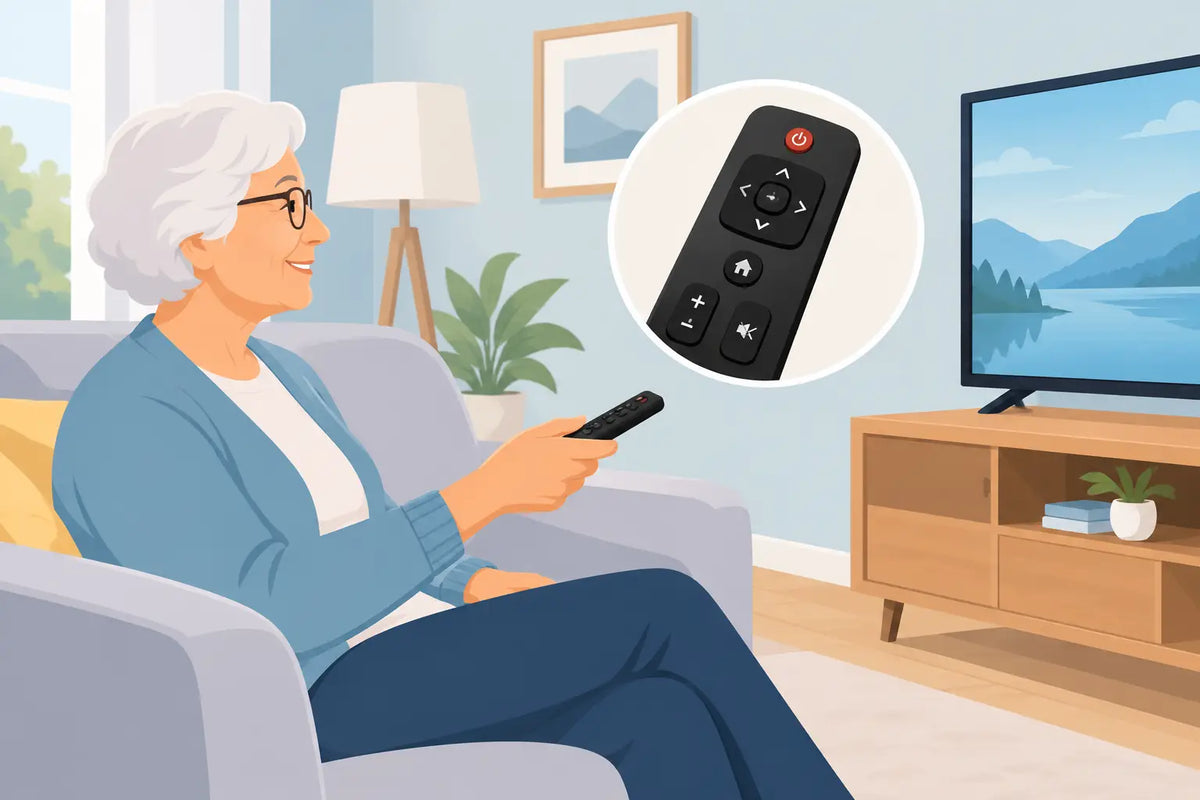
A television can be working perfectly, yet become difficult to use because the remote has tiny labels, crowded buttons or controls that no longer respond. The best remote control for seniors is usually not the one with the most features. It is the one that makes everyday viewing straightforward: switch on, change channels, adjust the volume and return to a favourite programme without needing help.
For many households, replacing a worn, missing or overcomplicated remote is a small purchase that removes a regular frustration. The right choice depends on the television brand, the buttons the person actually uses and whether a direct replacement or a simpler compatible remote is the better fit.
What makes a remote easier to use?
Large, well-spaced buttons are the starting point. A remote may look simple at first glance, but buttons that are packed closely together can lead to accidental presses, especially where eyesight, reduced hand strength or arthritis are factors. Clear lettering and strong contrast between the button and its label make a noticeable difference in daily use.
The most useful layout puts the essential controls where they can be found by touch: power at the top, channel and volume controls in the middle, and a clear mute button. Number buttons are helpful for viewers who know their usual channel numbers. A remote does not need to have only a few buttons, but it should not make common tasks harder than they need to be.
Shape and weight matter too. A very slim handset can be difficult to pick up from a chair or table, while an overly heavy one can be tiring to hold. A lightly textured back and a comfortable, solid feel are often more practical than a glossy, ultra-thin design. Brightly coloured power buttons are useful, although clear positioning is just as valuable.
Best remote control for seniors: choose the right type
There is no single best remote control for seniors in every home. The most suitable option is normally one of three types: an original-style replacement, a compatible replacement designed for a particular brand, or a simple universal remote.
Original-style and brand-specific replacements
For someone who is already comfortable with their television, a replacement that closely matches the original handset is often the easiest answer. The buttons remain in familiar places, so there is less to learn. This is particularly helpful when the user relies on functions such as the TV guide, subtitles, input selection or a dedicated catch-up button.
Brand-specific replacements are available for many common makes, including Panasonic, JVC, LG, Philips, Bush, Samsung and Logik. Some work straight from the batteries with no programming required, while others may need a short set-up process. Always read the product description carefully and match the remote to the television model where possible.
The main advantage is familiarity. The trade-off is that a like-for-like remote may retain small buttons or extra functions that the original owner found confusing. If the old remote caused problems because it was too busy rather than because it stopped working, a simpler model may be a better choice.
Simple compatible remotes
A compatible remote can be a sensible middle ground. It may operate the main functions needed for viewing while leaving out specialist buttons that are rarely used. This can make the handset less intimidating without changing the television itself.
Before choosing one, check that it supports the features required in that household. Some people only need power, channels and volume. Others need access to HDMI inputs for a set-top box, a DVD player or a games console used by visiting family. A remote that cannot select the correct source may create another problem, even if its larger buttons are easier to press.
Universal remotes
A universal remote is designed to work with more than one make or device. It can be useful where a TV, soundbar or set-top box needs to be controlled from one handset. However, it is not always the simplest choice for an older user.
Most universal remotes require programming with a code, an automatic search or an app-based process. They can also use different button layouts from the original remote. They are worth considering if reducing the number of handsets is the priority, but a ready-to-use replacement is generally less hassle when only the TV remote needs replacing.
Check compatibility before ordering
A remote that looks right is not necessarily compatible. Television manufacturers often use several remote versions across similar-looking models, and smart TV functions can vary between model ranges. Checking the model number is the most reliable way to avoid ordering the wrong handset.
Look for the model number on the label at the back or side of the television. It may also appear in the TV settings menu, in the instruction booklet or on the original box. Write the full code down exactly, including letters, numbers and hyphens. A model number such as UE, 32, 43 or 55 at the start can indicate screen size or range, but the complete reference is what matters.
It also helps to check the number printed inside the battery compartment of the old remote. This is often a remote part number rather than the television model number, but it can make matching a direct replacement much easier. If the old remote has been lost, a clear photo of the TV label is useful when comparing compatible options.
Do not assume that every remote for a brand will work with every television from that brand. A Samsung remote, for example, may be intended for a particular family of models and may not provide full control of another. The same applies to Philips, LG and other major makes. Product compatibility details should take priority over appearance.
Features worth paying for - and features to avoid
For straightforward television use, reliability beats novelty. A remote with responsive buttons, a clear layout and common AAA or AA batteries is normally easier to live with than one that needs charging or uses a less familiar battery type. Standard batteries are simple to replace and easy to keep in a drawer.
Backlit buttons can help in a dim room, but they are not essential for everyone and can add complexity. Voice control may be useful for some smart TV users, yet it depends on the television supporting it and on the person feeling comfortable using it. It should not be the only way to carry out basic tasks.
Avoid choosing solely on the basis of having a large number of buttons. Streaming shortcuts, colour keys and menu controls can be useful, but only where they are likely to be used. A remote that includes everything can still be right for a confident viewer, particularly if it closely copies their original handset. The aim is not to remove choice, but to make the controls predictable.
Make the replacement easier to live with
Once the new remote arrives, fit fresh batteries and test it while the television is on. Check power, volume, channel changing, mute, the TV guide and input selection if relevant. If it is a programmable remote, complete the set-up before handing it over so the user does not have to deal with codes or instructions later.
A few small habits can prevent the same problem happening again. Keep the remote in one regular place, such as a tray beside the chair. A non-slip remote holder can stop it sliding behind cushions. If labels are hard to read, small adhesive stickers can identify the most important buttons, provided they do not obstruct any controls.
For a household with more than one person, agree which remote controls which device. A television remote and a set-top box remote can look similar but perform different jobs. Leaving the unused handset elsewhere may be kinder than expecting someone to work out the difference every time they want to watch television.
When a replacement remote is not the whole answer
If a new remote appears not to work, test the batteries first and make sure there is a clear line of sight to the TV sensor. Dust around the sensor area, weak batteries and a blocked signal are common causes of poor response. A mobile phone camera can sometimes show whether an infrared remote is transmitting: point the remote at the camera, press a button and look for a flashing light on the mobile phone screen.
If the television itself is slow to respond, freezes or repeatedly changes input, the fault may not be with the remote. Restarting the TV at the mains for a short time can help with temporary software issues. For an older television, a replacement remote may restore normal use, but it cannot correct a fault in the television receiver or a connected box.
A well-matched remote is a practical way to keep a familiar television easy to enjoy. Whether you choose a like-for-like handset or a simpler compatible version, take a moment to confirm the model and the everyday controls needed. Spares Direct Oldham can help make replacing that small but essential part of the living room less of a chore.