
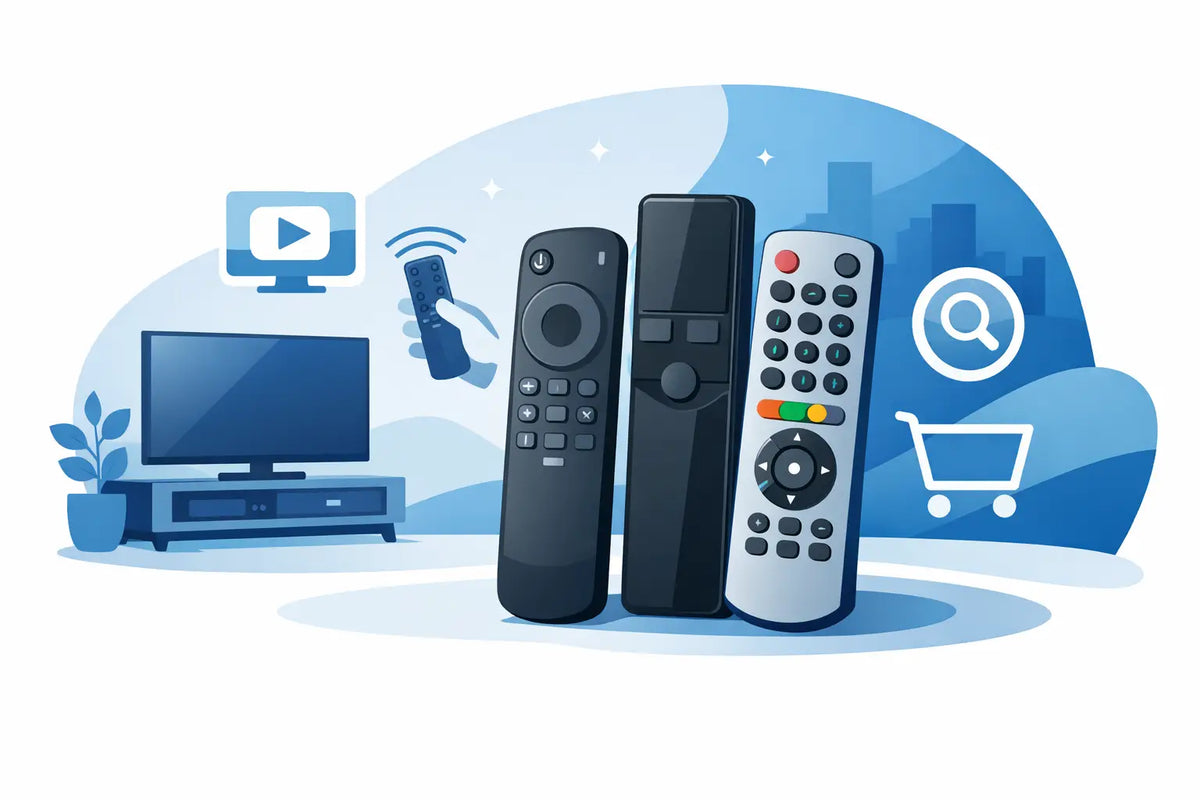
A remote control rarely stops working at a convenient time. It gets dropped behind the sofa, damaged by a drink, chewed by the dog or simply wears out after years of daily use. When you need a replacement quickly, finding the best TV remotes UK households can rely on comes down to one thing: choosing a handset that works properly with your television.
The cheapest remote is not always the best value if it will not access your settings, apps or source controls. Equally, there is usually no need to replace a working television just because its original remote has failed. A correct replacement remote can get the TV back in use quickly and for a fraction of the cost of a new set.
Best TV remotes UK buyers should consider
There is no single remote that suits every television. The right choice depends on the make, model and functions you use. For most homes, the best option will fall into one of three categories: an original replacement, a compatible replacement or a universal remote.
Original replacement remotes
An original replacement is designed for a particular brand and, in many cases, an exact TV model range. It has the same layout and expected functions as the remote supplied with the set. If you are replacing a Panasonic, Samsung, LG, Philips, JVC, Bush, Logik or similar branded remote, this is usually the most straightforward route.
The advantage is familiarity. The buttons are where you expect them to be, and functions such as guide, menu, input, subtitles, smart features and recording controls are more likely to work as intended. In many cases, an original-style infrared remote works as soon as batteries are fitted, with no pairing or programming required.
It is the strongest choice for households where several people use the TV, particularly where a complicated universal handset would cause frustration. It is also useful when you need a specific button that cheaper alternatives may leave out.
Compatible replacement remotes
A compatible replacement is made to operate the same television models as the original handset without necessarily carrying the manufacturer branding. These remotes can offer very good value, especially for older sets where the genuine remote is difficult to source.
Compatibility matters more than appearance. A remote may look almost identical to yours but use a different signal set, so always check the listed TV models or remote control part number before ordering. A suitable compatible remote should clearly state which makes and models it supports.
For many standard TVs, a compatible infrared remote is an excellent practical option. It can provide the everyday controls you need - power, volume, channels, menu and input - without the effort of entering codes. However, check whether it supports specialist smart-TV buttons, voice control or recording features if those are part of your usual viewing.
Universal TV remotes
Universal remotes are designed to work with more than one brand and can be useful if you have an older television, a spare-room set or a basic viewing setup. Some can also control a set-top box, DVD player or soundbar, helping to reduce the number of handsets on the coffee table.
The trade-off is setup. A universal remote may need a code entered for your TV brand, or it may need to search through codes until the television responds. It can be a good answer when an exact replacement is unavailable, but it is not always the quickest answer when you know the model of your TV.
Before buying, consider the controls you actually use. A universal remote may handle the core functions perfectly but not replicate every button from the original. This can matter on smart TVs, where dedicated app buttons and advanced settings are common.
How to find the right replacement TV remote
The quickest way to avoid an unsuitable purchase is to identify the television model before you choose a remote. Look on the label on the back or side of the TV, or check the original manual, box or settings menu. The model number is normally a combination of letters and numbers, rather than simply the brand name.
For example, knowing that you have an LG television is helpful, but it is not always enough. LG has produced many ranges over the years, and their remotes can differ by screen size, year, smart platform and feature set. The same applies to Samsung, Panasonic, Philips and other major brands.
If the original remote is still available, check for a code printed inside the battery compartment or on the rear. That remote part number can be particularly useful when matching a like-for-like replacement.
When comparing options, check these details carefully:
- The TV brand and full model number listed as compatible.
- Whether the remote is infrared, Bluetooth or uses radio frequency control.
- Whether batteries are required and which type it uses.
- Whether setup, pairing or code entry is needed.
- Whether important functions such as smart apps, guide, source, subtitles and voice control are included.
Smart TV remotes need an extra check
Many modern televisions use more than one type of connection. Basic buttons may work through infrared, while voice search, cursor control or smart features require Bluetooth pairing. This is why a standard replacement remote may turn the TV on and change the volume, but not provide every advanced function of the original smart remote.
If your television has a pointer-style handset, a microphone button or a motion-controlled cursor, check whether the replacement supports those features. For some users, a standard compatible remote is enough for normal watching. For others, especially those who regularly use streaming apps and voice search, a like-for-like smart remote is worth choosing.
Do not assume that a remote with a similar shape will pair with your set. Bluetooth remotes can be more model-specific than infrared handsets, and the pairing process varies between manufacturers. The product description should make it clear whether pairing is required and which TV ranges are supported.
What to do if a replacement remote does not work
A new remote that appears unresponsive is often caused by a simple issue. Start with fresh batteries, fitted in the correct direction. Check that the battery contacts are clean and that the compartment closes firmly.
For an infrared remote, point it towards the TV sensor with a clear line of sight. If the television is tucked into a cabinet, the sensor may be blocked. You can also use a mobile phone camera to check whether an infrared remote is sending a signal: point the front of the remote at the camera and press a button. A flashing light may be visible on the screen, even if it cannot be seen with the naked eye.
If it is a Bluetooth or smart remote, follow the required pairing steps. In some cases, switching the TV off at the mains for a short time before trying again can help reset the connection. If the remote controls some functions but not others, revisit the compatibility details - it may be a basic replacement rather than a full smart-TV equivalent.
A better value fix than replacing the television
A lost or faulty remote can make a perfectly good TV feel unusable, particularly when it prevents you from changing input, accessing settings or accepting an on-screen message. Replacing the handset is a straightforward repair that keeps everyday equipment in service and avoids unnecessary expense.
At Spares Direct Oldham, the focus is on helping households find practical replacement remotes for major TV brands, including harder-to-find options for older models. Taking two minutes to confirm your model number can save a great deal of time and make sure your replacement arrives ready to restore the controls you depend on.
Choose the remote around your television, not just the brand name or the lowest price. The right match means less setup, fewer missing functions and a TV that is back to being simple to use.